How to set up custom error reporting with webhooks and enriched context
When running automations in the cloud, it’s important to understand errors clearly so you can fix them quickly. Standard error messages work well for simple failures, but they lack the detail needed when data is transformed, filtered, or combined across multiple steps.
In these cases, having more context about what happened to the data during a run makes debugging far easier. You can create custom error messages and enrich them with data from your automation using just a few clicks. Let’s dive in.
# How to set up webhook or email notifications
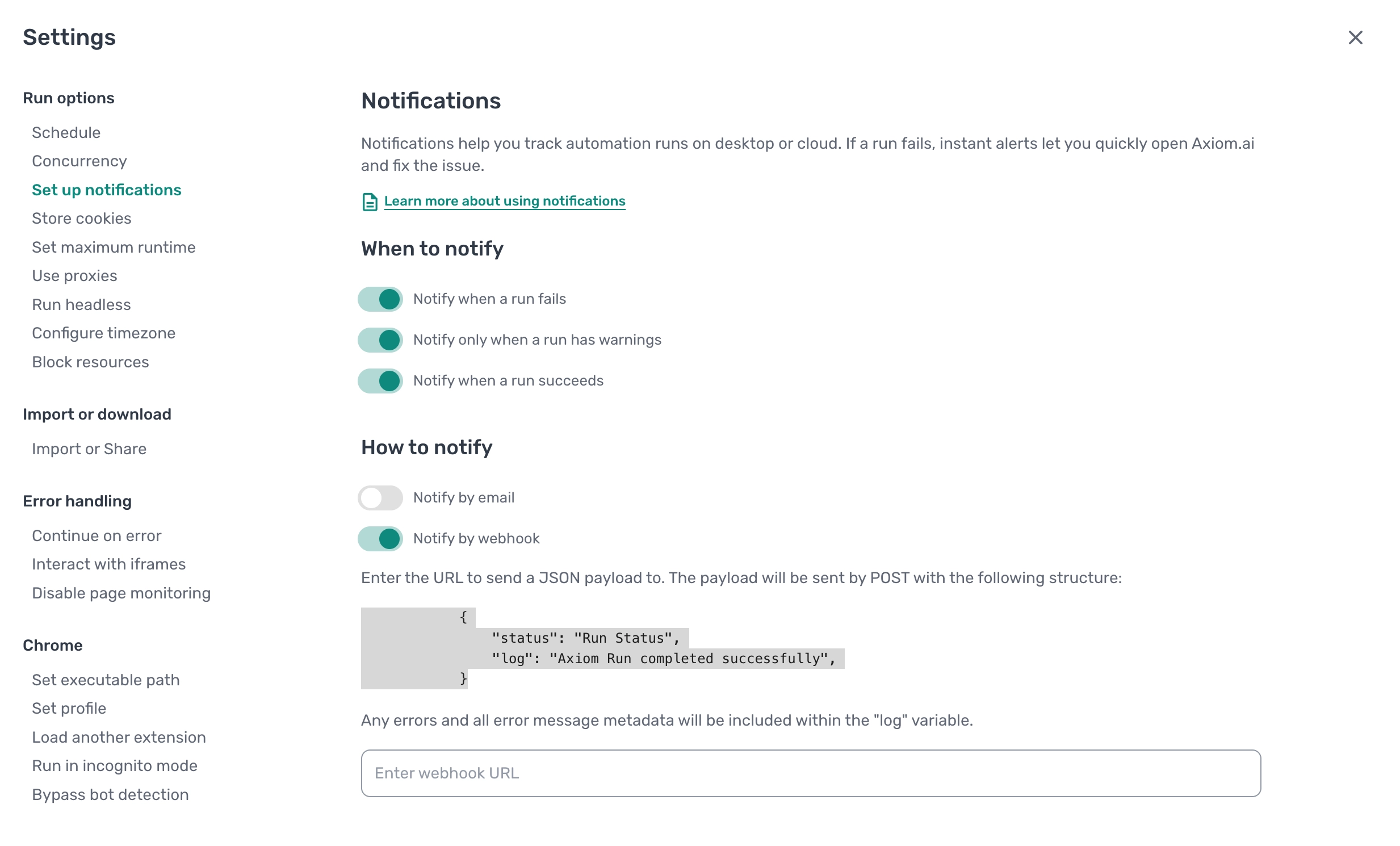
To configure notifications for your automation:
- Inside the automation editor, click
**Settings**. - Under
**Run options**, click**Notifications**. - Select
**When to notify**, for example:- On error
- On success
- On warnings
- Choose
**How to notify**:- Webhook
- Enter the
**webhook URL**or one or more**email addresses**.
By default, notifications include the run status and basic error logs. While useful, this information is often too limited when debugging more complex automations.
# How to enrich your error message with data
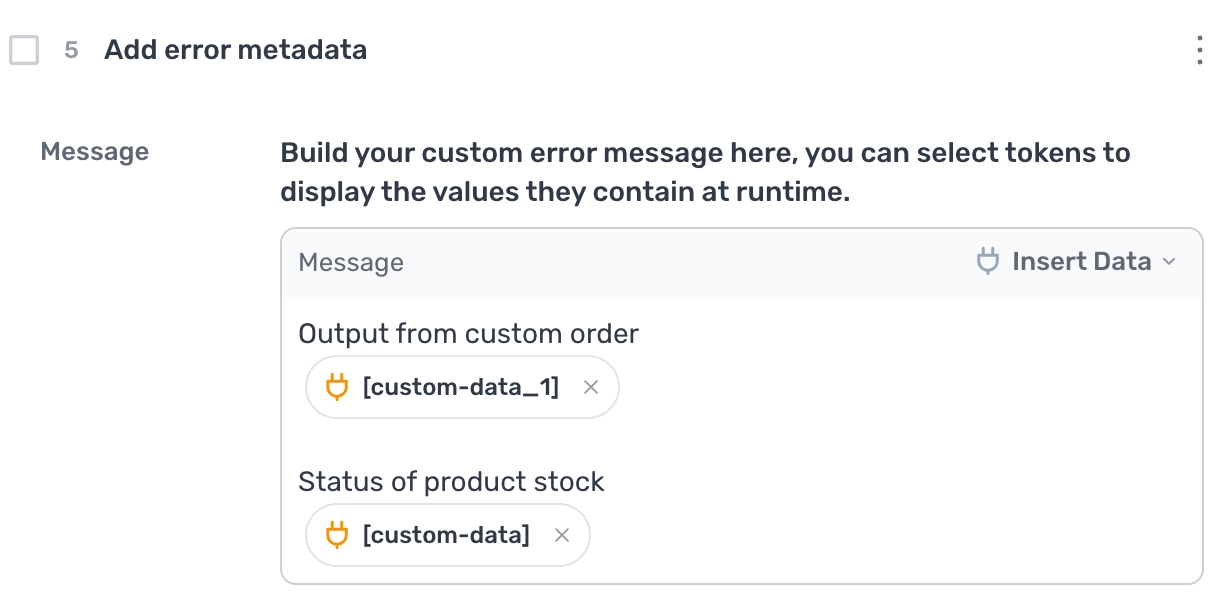
You can enrich error messages by attaching contextual data from your automation.
Using the step finder, search for and add the Add error metadata step. Place this step immediately after the step you want to monitor.
- Insert the
**Add error metadata**step into your automation. - In the
**Message**field, click**Insert data**. - Select tokens from any step that appears before the
**Add error metadata**step.- For example, if you are manipulating scraped data with a
**Split**step, you can include the output from that step.
- For example, if you are manipulating scraped data with a
- Combine tokens and text to construct a clear, descriptive error message that explains what data was being processed at the time.
Any error that occurs after this step will automatically include the enriched message, making it much easier to understand what went wrong during the run.
# How to handle runtime errors with different actions
In some cases, you may want your automation to take a different set of actions when an error occurs instead of failing completely.
This can be done using the Try catch step. Any steps placed inside the catch block will only run if the bot fails. This lets you define an alternative sequence of steps that only execute when an error occurs, instead of stopping the automation.
# How to ignore errors completely
If you want your automation to continue running even when certain steps fail, you can configure steps to ignore errors. This is useful when errors are expected or non critical and should not stop the entire run.
# Major update: session recording and breakpoints
We’re working on a major update to axiom.ai that introduces session recording and breakpoints.
Run reports will include visual and text based playback of your automation. The text playback will provide a detailed commentary of what is happening in the browser at each stage of the run.
After testing this feature internally, it’s clear this is a big step forward for debugging and understanding automation behaviour. It will be useful not only for users, but also for customer support when helping diagnose issues.
Session recording will be available on higher tier plans and will be optional. For privacy, sensitive data will be automatically blurred in recordings.
# Wrapping up
Custom error reporting gives you far more visibility into what your automation is doing and why it failed. By combining notifications with enriched error metadata, you can diagnose issues faster and build more resilient automations.