How to check if an element exists and proceed conditionally
Learn how to run steps conditionally by checking if a specific element exists on a webpage and executing different sets of steps based on the result.
# Getting started
To get started, create an a new automation within Axiom.ai or open an existing one.
# Building the automation
There are two steps used within the automation:
- Get data from bot's current page step.
- If condition step, or alternatively If Else condition step.
# Setup
Create a new Axiom.ai automation by opening the extension and clicking "+ New automation". Use the Step Finder to add new steps to your automation.
# Set up the scraper
The "Get data from bot's current page" step will perform the scraping of an element from the page. Configure as follows:
- Select: click "Select" to open the Selector Tool. Select the element that you wish to scrape. Learn more about the Selector Tool. For most common scenarios, the Text type should suffice. In some cases, such as checking if a button is enabled, you may want to scrape the HTML of the element instead.
- Max results: Set to 1 as we typically only need to check one element.
This will output a data token called scrape-data that will be used in the conditional logic.
# Check the scraped data and proceed conditionally
Now that we have the scrape-data returned from the "Get data from bot's current page" step, we can use the If condition step to check the element and then run a different set of steps.
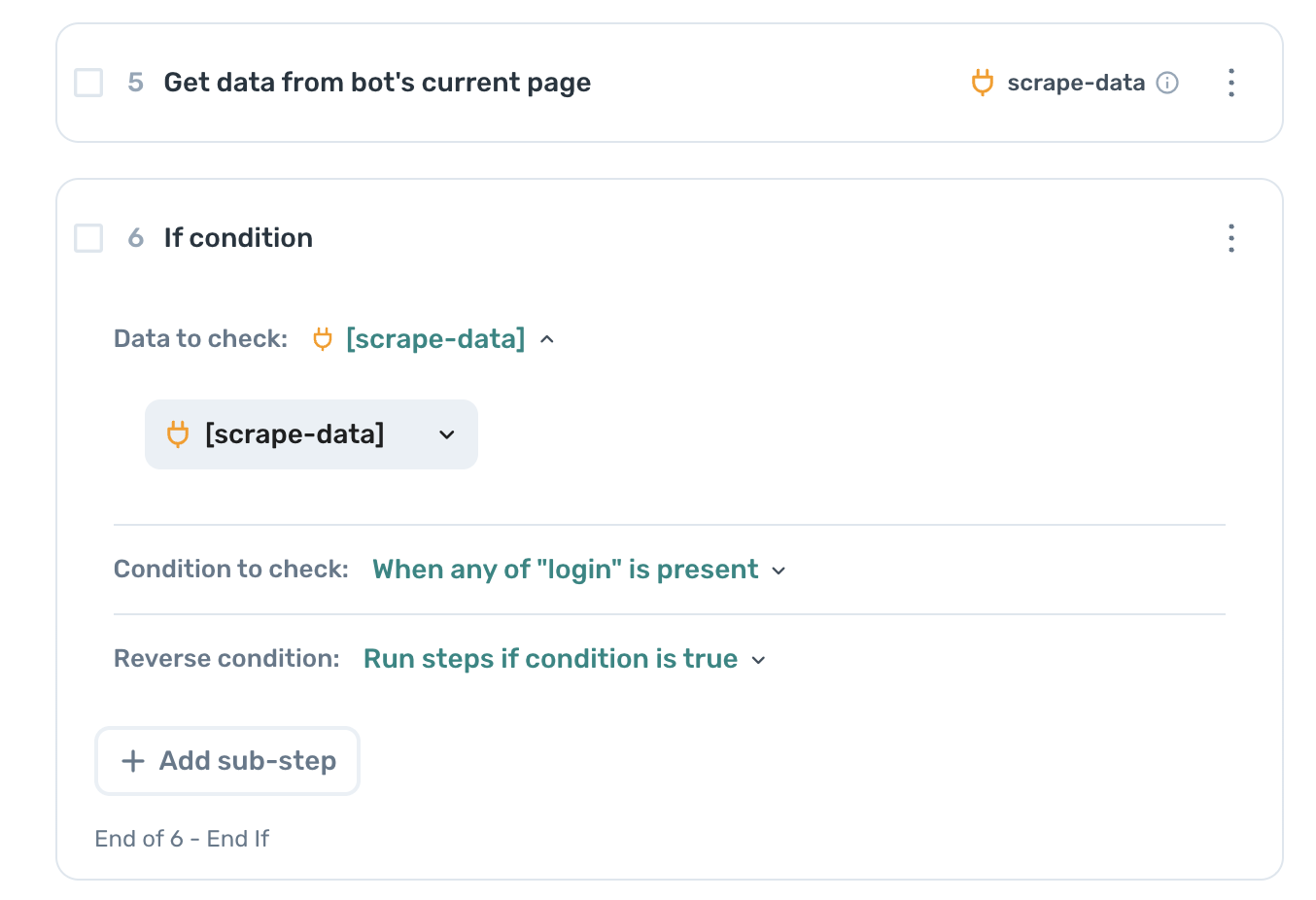
Configure as follows:
- Data to check: select the
scrape-datatoken from the previous step. - Condition to check: add the value you would like to check, for example
Logintext or a specific HTML keyword likedisabled. - Reverse condition: (optional) select the option to run steps if condition is not true.
# Wrapping up
There are several use cases for such a setup:
- Check if a Login button is present to initiate a login sequence (for example, on Instagram)
- Check if a certain button is enabled and proceed accordingly (for example, checking if a Message button is present)
- Verify if a form was submitted successfully by looking for confirmation messages
- Detect if a website is showing a cookie consent banner that needs to be accepted
We are excited to see what you do with this - let us know over in our community (opens new window).